Free is for tracking this year; Plus is for households and for anyone saving receipts to reimburse later.
$4 a month or $36 a year
PlanToday
Brainbrook Free$0.00
No card, no expiry. Plus is there whenever you want it.
Brainbrook Plus, monthly$4.00
Then $4.00 every month until you cancel.
Brainbrook Plus, annual$36.00
Then $36.00 every 12 months until you cancel.
The price is the total; nothing ships and there are no extras.
Leaving is two clicks on your Plan page, the same two it took to buy. Plus runs to the end of the month or year you paid for, then the household moves to Free with every receipt still in it.
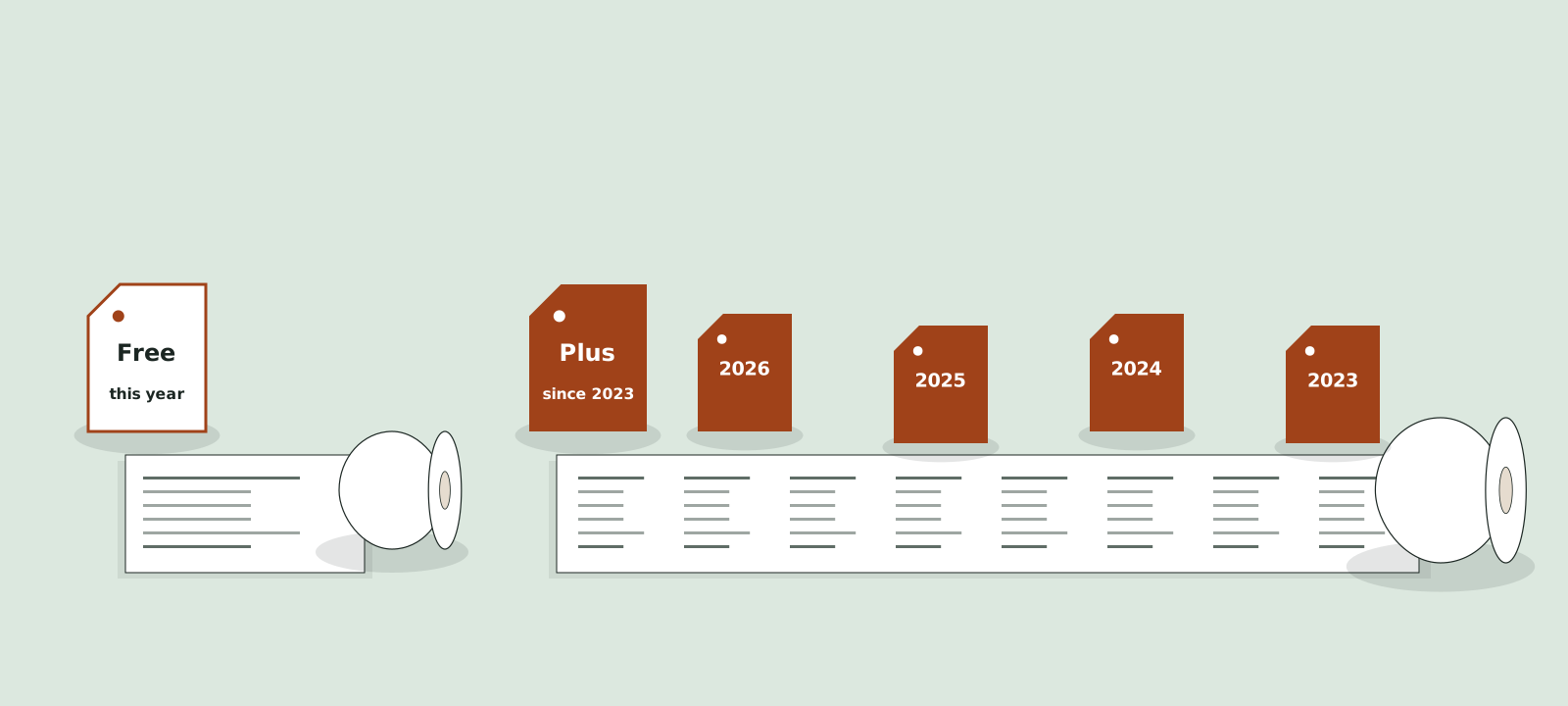
two rolls
Two rolls on the table. The short one keeps this plan year. The long one unspools back to Feb 11, 2023, one plan year at a time.
02 · the two cards
Brainbrook Free and Brainbrook Plus
Brainbrook Free
For one person tracking this plan year.
$0
No card needed
One person
Up to 30 receipts per plan year
Reminders for the plan dates you enter
Photo or file capture of every receipt
HSA or FSA tag and a category on every receipt
Owed back and reimbursed totals for this plan year
Search and sort
Phone and web
Download any receipt any time
Not in Free: unlimited receipts, household members, the ledger across plan years, forwarding by email, the year end export.
Renews at $4 every month or $36 every year until you cancel. Cancel from your Plan page in two clicks. The price is the total; nothing ships and there are no extras.
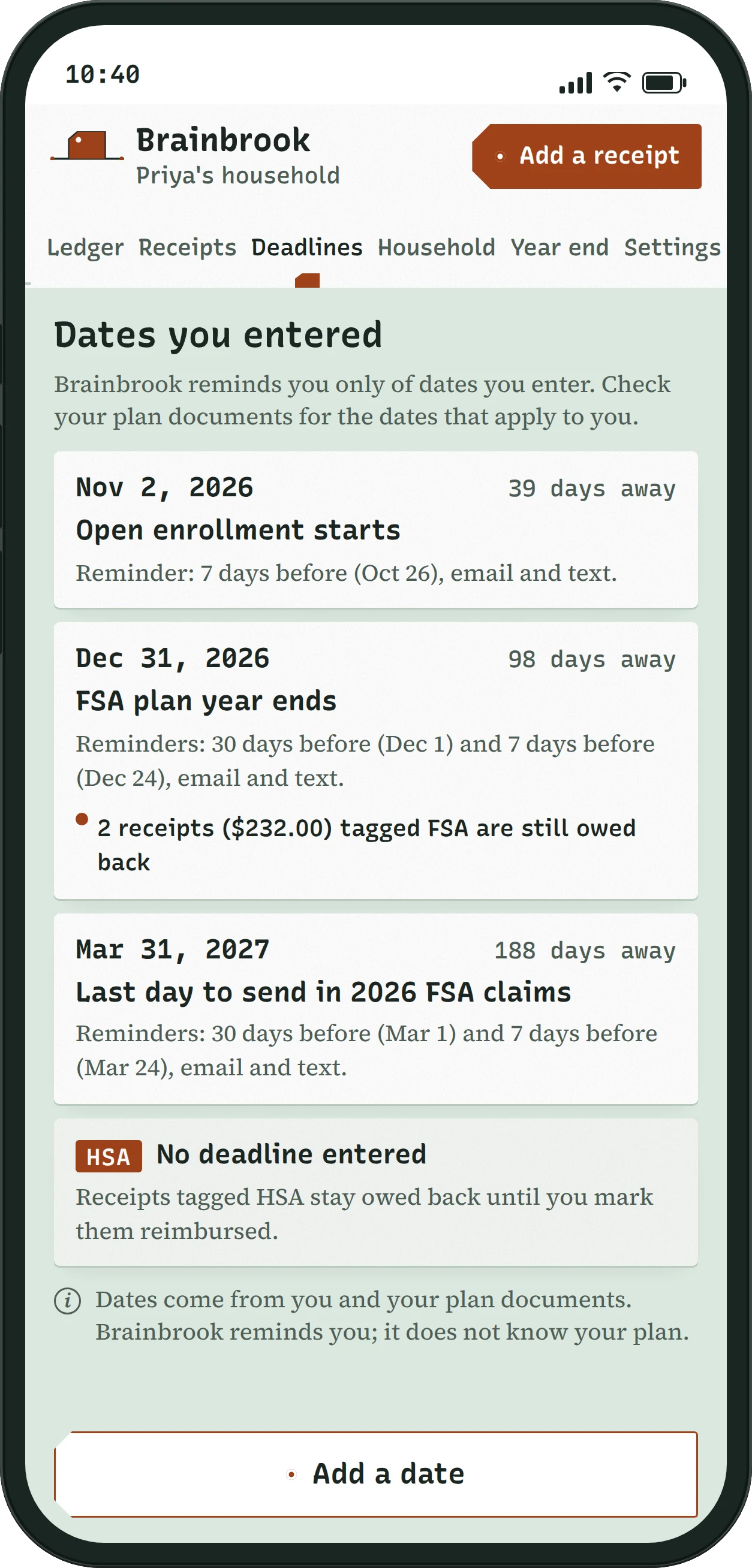
Reminders for the dates you enter, on Free, for one person.
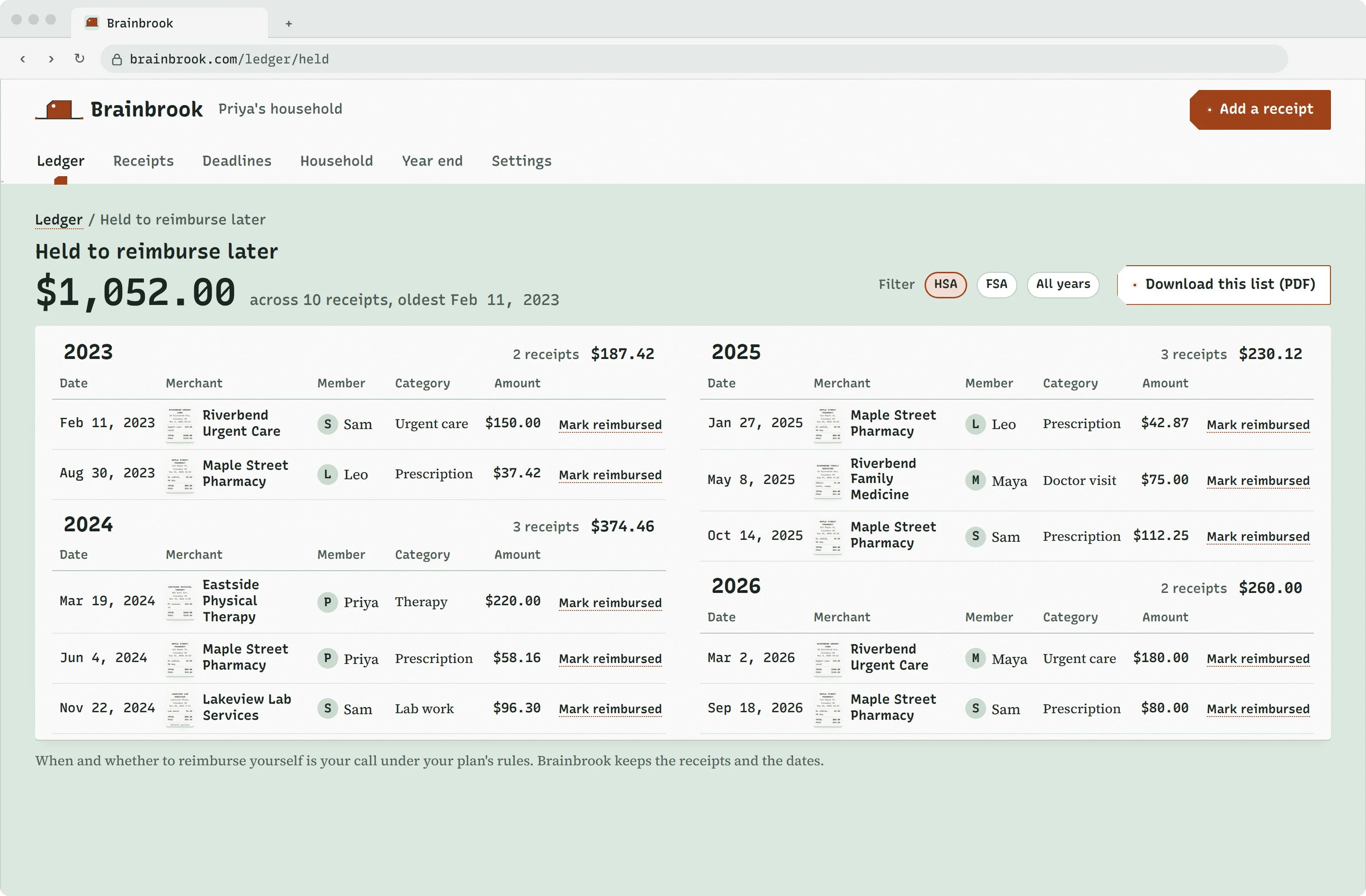
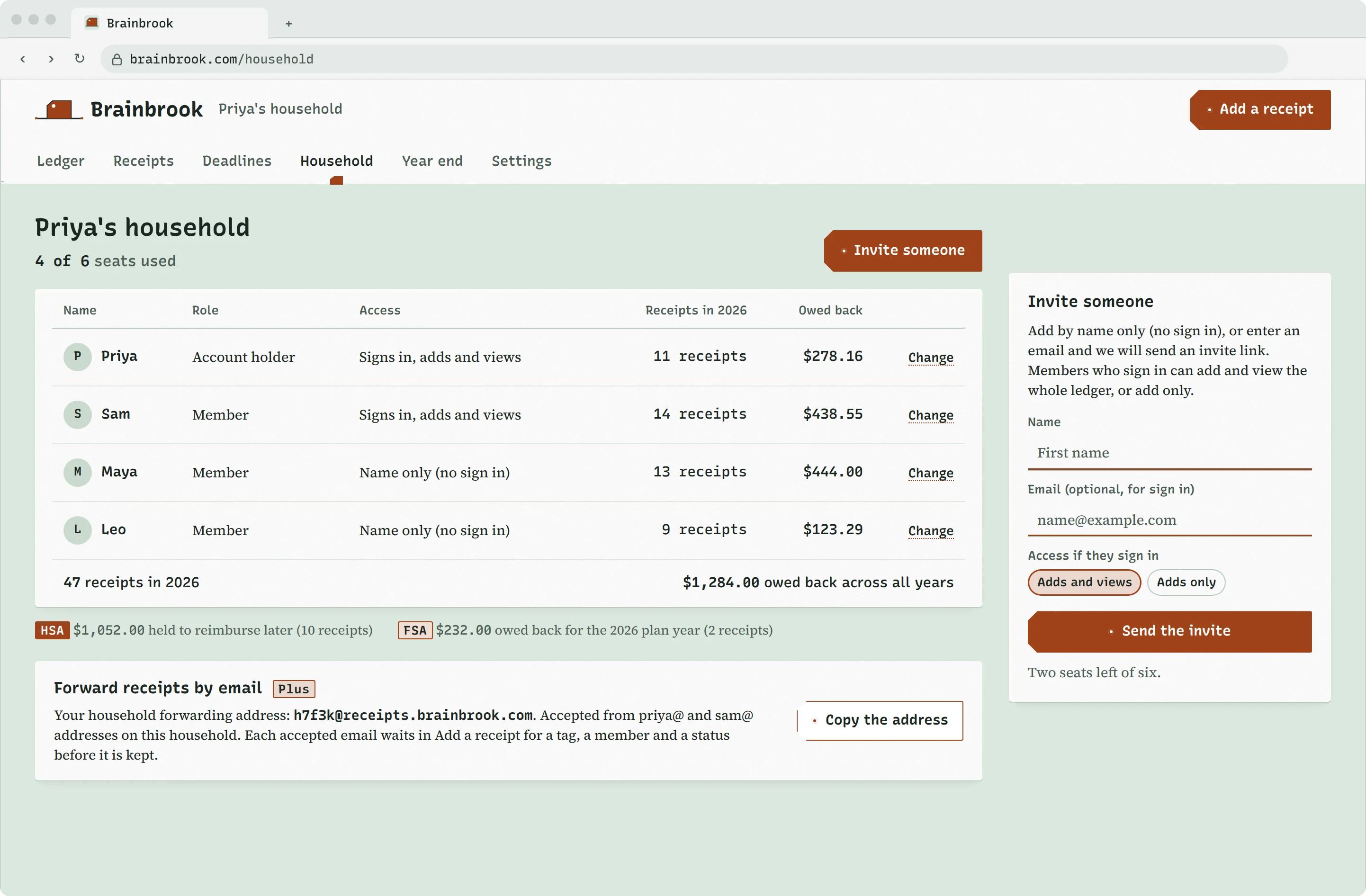
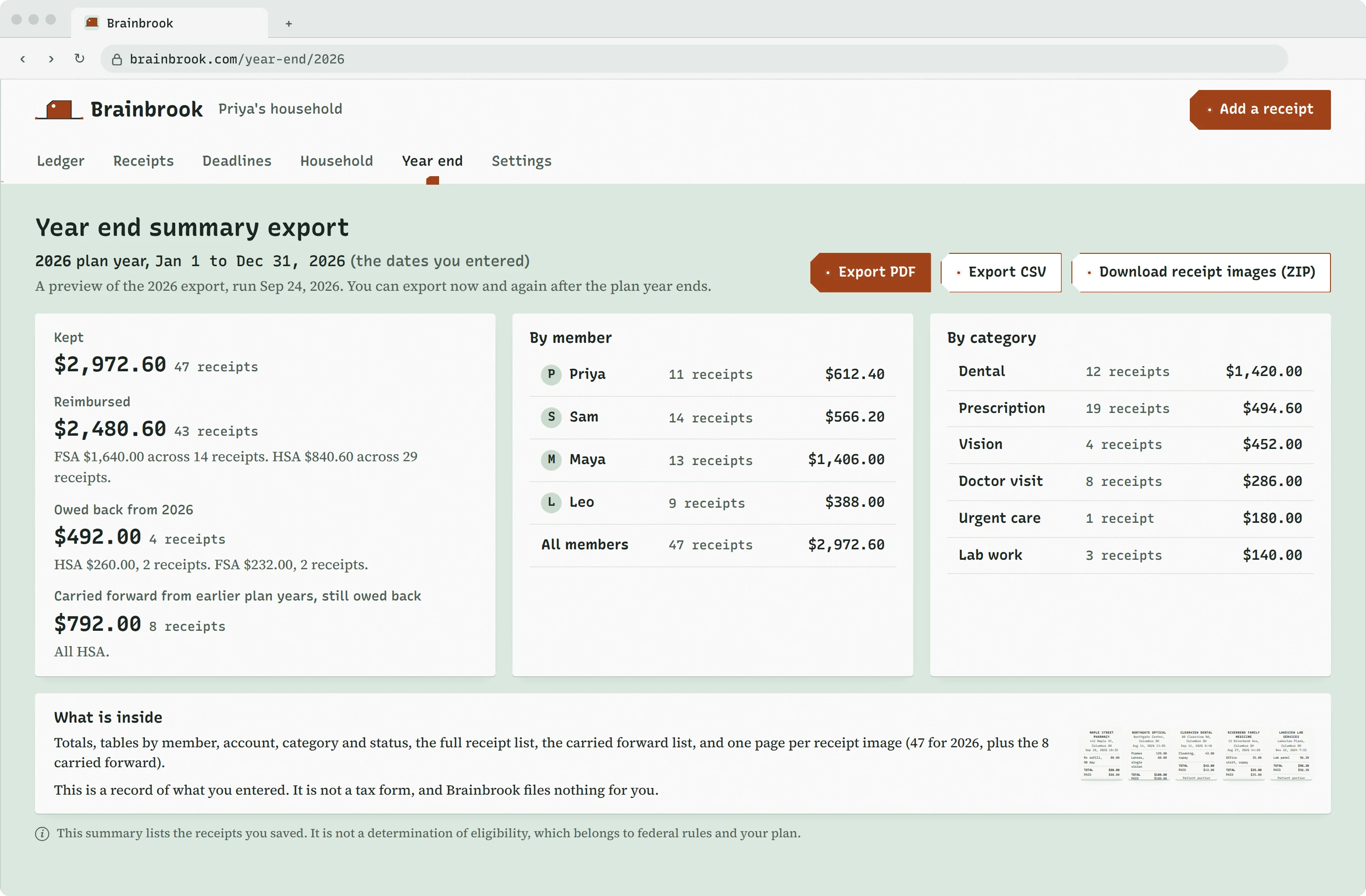
The reimburse later ledger, held receipts by year with their original dates.The household screen, four of six seats used.The year end summary export, every receipt image inside.
03 · the rules
What Brainbrook never does
Holds no funds.It has no view of your HSA or FSA and no way to move a dollar.
Submits no claims.The request is yours to make, and the receipt is ready when you make it.
Decides no eligibility.Federal rules and your plan do, and every tag says so.
Gives no tax, legal or medical advice,and promises no saving or refund amount.
Connects to no plan administrator, employer or custodian,and is affiliated with or endorsed by none.
Kept, Columbus, Ohio.
04 · the questions
FAQ
What counts as a receipt?
Anything that shows what you paid for, when, where, how much and for whom: a pharmacy slip, an itemized receipt from the dentist, an optician's invoice, or the explanation of benefits your insurer sends after a visit. Photograph it or upload the file, as a PDF, JPG, PNG or HEIC. Whether the expense itself counts is decided by federal rules and your plan, not by Brainbrook.
Can I add my spouse?
Yes, on Plus. Enter their email and Brainbrook sends an invite link; they set a password and join the household with their own sign in. You choose whether they add and view the whole ledger or add only, and you can change that or remove them any time. Plus has six seats in total, including you, and kids can take a seat by name only, with no sign in.
What happens if I stop paying?
Plus stays active to the end of the period you already paid for, then the household moves to Free. Nothing is deleted. Every receipt stays readable and downloadable, members keep their sign ins but can no longer add receipts, email forwarding and exports stop, and only the current plan year is counted, up to 30 receipts. Buy Plus again and all of it resumes.
Do you connect to my HSA?
No, and not to your FSA, your employer, your plan administrator or your HSA custodian either. Brainbrook never asks for an account number, an election amount or an employer name. It sees only what you photograph and type, so every figure on your ledger comes from your receipts, and reimbursements still happen where they always did, between you and your plan.
Is this a tax document?
No. The year end summary export is a record of what you entered: totals, tables by member, account, category and status, the full receipt list and every receipt image. It is not a tax form, and Brainbrook files nothing for you. Keep it with your records, and take questions about what it means for your taxes to a tax professional.
Can I cancel?
Yes. Open your Plan page in Settings, tap Cancel Plus, then confirm; that is all of it, and there is no call to make and no form to find. You keep Plus until the end of the month or year you paid for, and your ledger is exactly where you left it afterwards. Refund terms are in the Terms of Service, and questions go to support@brainbrook.com.
05 · the cart
Both buttons go straight to the cart. No demo, no waitlist, and no card for Free.